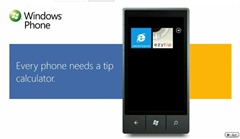
 The original promo video I did was kinda crap so I spent a few nights trying to do something a little more polished and interesting, and I think the results are fairly good. For those interested in doing a similar type of promo for your Apps, here’s the technique I used.
- Write your basic script with timings, I tried to make all descriptions to be on screen for at least 4 seconds to allow time for the viewer to read them.
- Use a screen capture program such as Expression Encoder screen capture and run through your script as you use your application in the emulator.
- Using blend create a single storyboard and create your animations tying the storyboard timeline to your videos timeline. You can embed your video as a media element. You won’t get the video to run in preview mode in blend, so have it running in Windows Media player to sync the timelines.
- Then run the Blend App (I used a SL App) and again use your screen capture program. Then if you used Expression Encoders screen capture send it to Expression Encoder and encode for YouTube.
That’s the basic steps I used to create the video and it took me a while to settle on this technique having first tried Power Point and other more complex Silverlight options, but this one seems quite easy to use and provides a huge amount of powerful flexibility.
I’ll be doing another one when I’m ready to release my next App which should appeal to a much wider audience than the ezyTip Application.
Oh the final result can be found here: ezyTip for Windows Phone 7

Currently rated 3.0 by 171 people
- Currently 2.976332/5 Stars.
- 1
- 2
- 3
- 4
- 5
 Over the past few months I’ve been working on two applications for the soon to be released Windows Phone 7 platform. I’ve been lucky enough to have gotten a real device and that has proved invaluable for both of the Apps, in both performance and visuals (the physical device only supports 16bpp – translation don’t do gradients!). The first of my Apps ezyTip has been approved for early ingestion so it will be ready for launch (when ever that is). I’ve posted a short preview video of the new App (though I’ve made some cosmetic changes already) if anyone is interested in having a look. More...

Currently rated 1.3 by 39 people
- Currently 1.307693/5 Stars.
- 1
- 2
- 3
- 4
- 5
September 27, 2010 22:53 by
garrymcFor anyone doing any type of Windows Phone 7 development, you would have come across the debug counters that Microsoft ship, and if you' haven’t then I’d suggest checking this blog post which discusses the performance whitepaper Microsoft released.
While these counters are great and essential to any development, they do miss a few things. One of the most notable is a memory counter! This is arguably one of the most important counters to have on a memory constrained device. Also your app is only allowed to take about 80-90Meg of RAM before you’re in trouble, so you need to know this number, especially if you’re doing anything graphic intensive.
So to rectify this issue, I’ve built one which works in essentially the same way as the shipped ones. You simply add one line of code to the start up page and you’ll see the counter update every 2 seconds by default. I’ve also make it so you can specify the interval in seconds if you prefer.
 As can be seen in the image it will tell you the Total Memory, Peak Memory (the most you’ve used) and the most important the current amount of memory being used.
To get this working simply add a reference to the supplied dll (see link at the end of the post) and then add the following line of code to your start-up page:
dnp.Counter.EnableMemoryCounter = true;
If you want to specify the duration of the counter then you set it using this line of code, which specifies every 10 seconds:
dnp.Counter.SetTimerInterval(10);
That’s it, if you’d like to leave a comment you can do so on the forums as I seem to get too much spam when I open the comments section up. You can find a forum post about this counter here.
Also, I wish to thank Stefan W. for the help he provided in getting this counter working!
Download: dnp.Counters.dll (37.50 kb)

Currently rated 4.0 by 7 people
- Currently 4/5 Stars.
- 1
- 2
- 3
- 4
- 5
I’ve been looking for a way to create custom transitions for the Apps I’m writing for Windows Phone 7 and came across this informative post and video. Where they describe how to create custom transitions for per page navigation. The only issue is it hasn’t been updated for the Beta release. So I took 10 mins (with the help of ReSharper) to upgrade it to the new Beta, so others don't have to go through the work. I’m not sure if its my machine, but the transitions in the emulator looked a bit sluggish, however I tried them out on a device and they seemed smooth.
FindAZip-CustomTransitions-Beta.zip

Currently rated 5.0 by 1 people
- Currently 5/5 Stars.
- 1
- 2
- 3
- 4
- 5
Its been awhile since I put up a blog post and that’s partly due to being so busy working on my two Windows Phone 7 Apps. Which brings me to the topic of this post and one which I think is important for fellow devs to understand. I am one of the lucky few that have received a real device and its very nice! :) (thanks Microsoft!)
One of the first things I started to do was performance test my App on the device and found that the device is a lot slower than the emulator. So I started to run some optimizations and wrote a small benchmark App to help me work out which refactorings were the fastest. I was rather pleased with myself when I ended up getting improvements of 200 and 300%! in the emulator. Then thought I’d see how much of that new gain transferred to the device. The results shocked the hell out me, as rather than getting a gain I ended up with a lost of 50%! That’s right my optimizations did the exact opposite of what they were supposed to do.More...

Currently rated 3.1 by 10 people
- Currently 3.1/5 Stars.
- 1
- 2
- 3
- 4
- 5